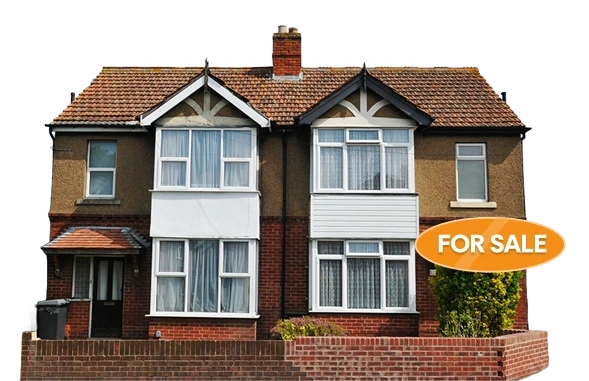
Sell Your House Online Yourself and Manage Listings and Offers with YooSell
You can sell your house yourself in the UK without paying agent commission. This guide shows you how to list your home online, manage your own viewings and handle offers with YooSell. It covers current plans from £29 a month, Rightmove listing, verified buyers and the legal steps to completion.

George K.
George specialises in local area insights across Leicestershire and the wider Midlands. He highlights schools, transport, and neighbourhood character for relocating buyers.
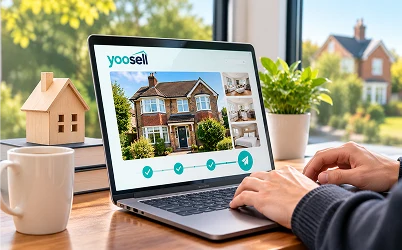
You can sell your house yourself in the UK. No law says you must use an estate agent. You can list your home online, meet buyers, agree a price and keep your full sale price.
The idea can feel daunting at first. Who writes the listing? Who books the viewings? Who deals with offers? On a self-service platform, the answer is simple. You do, with tools that make each job easier.
This guide shows you how to sell your own house in the UK online. It follows the whole journey, from preparing your home to completion day. It also explains how YooSell helps you manage your listing, your viewings and your offers from one place.
Before you read on, try the free Cost Saving Calculator on YooSell. It shows how much agent commission you could keep on your own property value.
What It Means to Sell Your House Online Yourself
Selling online yourself means you run the sale. A platform gives you the tools. You make the decisions.
How It Differs from Using an Estate Agent
A traditional agent markets your home, runs viewings and talks to buyers for you. In return, they charge commission. YooSell's own figures put typical agent commission at between 1% and 3% of the sale price.
When you sell online yourself, you take on those jobs. You pay a fixed monthly fee instead of a percentage. The price you agree with your buyer is the price you receive.
What You Are Responsible For
Selling yourself puts a few tasks in your hands:
Setting your asking price
Getting a valid Energy Performance Certificate
Creating your listing
Replying to buyer enquiries
Running your own viewings
Reviewing and answering offers
Instructing a solicitor or conveyancer
None of these jobs needs special training. They need time, organisation and quick replies.
Do You Still Need a Solicitor?
Yes. Selling yourself removes the estate agent. It does not remove the legal work. A qualified solicitor or conveyancer must handle the legal transfer of ownership. You will need one whichever way you sell.
If you want a fuller overview before you begin, read our step-by-step guide to selling your house by yourself.
How YooSell Works for Sellers
YooSell is a self-service home-selling platform for homeowners across the UK. You list your home, manage buyers and handle offers from one dashboard.
One Place for Your Listing, Viewings and Offers
The process follows a few clear steps. You sign up, add your property details and photos, and publish your listing. Buyers then contact you through the platform. You book viewings in your own diary. You review offers as they arrive.
Once you accept an offer, you can instruct a trusted UK conveyancer through YooSell. You can see the full walkthrough on the How It Works page.
Where YooSell Is Available
YooSell is available across the UK. That includes England, Scotland, Wales and Northern Ireland.
The legal side of a sale differs between UK nations. In Scotland, for example, sellers need a Home Report and offers go through solicitors. If you are selling in Scotland, speak to a Scottish solicitor early.
Verified Buyers and Sellers
YooSell checks both sides of a sale. Sellers confirm their ownership and identity through Land Registry records and official ID before a listing goes live. Buyers complete ID checks. They also show proof of funds or a mortgage in principle before they can engage with a listing.
This helps you avoid time wasters. It also means you talk mostly to buyers who can actually proceed.
YooSell Plans and Monthly Cost
YooSell has three plans for private sellers. All are rolling monthly subscriptions, charged per property. There is no commission on your sale price and no long-term contract. You can cancel at any time.
The prices below were checked on the YooSell website in November 2026. They include VAT. Prices can change, so confirm them on the Pricing page before you choose.
Starter Plan
Starter costs £29 a month, and your first month is free. It suits first-time sellers and quick movers.
It includes an AI-written property description, an AI photo enhancer and a floor plan creator. You also get a booking diary, direct buyer chat and a downloadable For Sale sign template. You can upload up to 10 photos. Support tickets get a reply within 48 hours.
Rightmove is not included on Starter. You can add it as an optional extra from your dashboard.
Enhanced Plan
Enhanced costs £49 a month, and your first month is free. It is the most popular plan.
It includes everything in Starter. It also adds a Rightmove listing, priority in local search results and a premium photo layout. You get enhanced social media sharing and advanced analytics on views and enquiries. You can upload up to 20 photos. Support tickets get a reply within 24 hours.
Premium Plan
Premium costs £69 a month, and your first month is £20. It gives you the most exposure and insight.
It includes everything in Enhanced. It also adds a featured listing at the top of local searches and property video placement. You get an AI-assisted pricing valuation report. You can upload up to 50 photos. Support tickets get a reply within 12 hours.
Step One: Prepare Before You List
Good preparation makes every later step easier. Do these three things before you publish.
Get a Valid EPC
You need a valid Energy Performance Certificate before you market your home. Rightmove will not publish a listing without one. An EPC lasts ten years, so check the date on your current certificate first.
If you need a new one, a qualified domestic energy assessor must produce it. A new certificate typically costs roughly £60 to £120.
Price Your Home Carefully
Your asking price decides who sees your home and who enquires. Price too high and buyers scroll past. Price too low and you lose money.
Start with recent sold prices for similar homes near you. HM Land Registry publishes this data. Then use the free Valuation Calculator on YooSell as a second reference point. On the Premium plan, an AI-assisted pricing valuation report adds further insight.
Most buyers expect to negotiate. Leave a little room, but keep your price realistic.
Confirm Your Ownership and Identity
Before your listing goes live, YooSell checks your ownership and identity. This uses Land Registry records and official ID. Have your ID ready and make sure your details match your title. It is a short step, and it protects everyone on the platform.
Step Two: Create Your Listing
Your listing is your shop window. Most buyers decide whether to book a viewing from the photos and the first few lines.
Add Your Property Details and Photos
Enter your address, property type, bedrooms, bathrooms, tenure, EPC rating and asking price. Then add your photos.
Photo limits depend on your plan: 10 on Starter, 20 on Enhanced and 50 on Premium. Use the best ones first. Show every main room, the front of the home and the garden.
Take photos in daylight with the curtains open. Clear worktops and floors first. A tidy home photographs far better.
Use the Built-In AI Tools
YooSell includes tools that help you build a strong listing in minutes:
An AI-written property description based on your details
An AI photo enhancer that improves light and clarity
Digital room staging and tidying
A floor plan creator
A floor plan helps buyers understand the layout before they visit. That means fewer wasted viewings. To see how these tools work, read how YooSell's AI tools help you sell without an estate agent.
If you prefer a human touch, professional photography services are also available.
Go Live and Use Your Free First Month
Once your listing is complete, publish it. Starter and Enhanced include a free first month. Premium's first month is £20. That gives you time to test the platform before you commit.
Step Three: Reach More Buyers on Rightmove
Rightmove is the UK's largest property portal. Many buyers start their search there.
Why You Cannot List on Rightmove Directly
Rightmove only accepts listings from registered agents and approved partners. Private sellers cannot upload their own home. That is why platforms like YooSell exist.
YooSell publishes your listing on Rightmove for you. Rightmove listing is included on the Enhanced and Premium plans. On Starter, you can add it as an optional extra.
Rightmove listing is subject to eligibility and terms. YooSell is an independent platform. It is not owned by or affiliated with Rightmove. See the YooSell Rightmove page for the current details.
Where Rightmove Enquiries Go
Every enquiry from Rightmove comes into your YooSell dashboard. That includes viewing requests and buyer messages. You do not need to check several platforms. You reply from one place.
Your listing on Rightmove shows your photos, description, price and key details, just like any other listing. For a closer look at this process, read how to sell your house on Rightmove and manage buyers directly.
Keep Your Property Status Up to Date
You control your listing status. It moves through four stages:
Available: the home is on the market and taking offers
Under Offer: an offer has been received but not yet accepted
Sold Subject to Contract: an offer is accepted and conveyancing is under way
Sold: the sale has completed
YooSell uses your status to show the right information on Rightmove. Update it on time. Otherwise, buyers may keep enquiring about a home that is already under offer.
Step Four: Manage Viewings Yourself
Viewings are where buyers fall in love with a home. They are also where you have an advantage. You know the property and the area better than any agent.
Use Your Booking Diary
YooSell gives you a booking diary. Buyers request a viewing slot through the platform. You accept, decline or reschedule each request. You choose the times that suit you.
Keep your diary up to date. Quick confirmations show buyers you are serious.
Talk to Verified Buyers Directly
Buyers message you through YooSell's encrypted chat. You do not need to share your personal phone number or email. You can answer questions in your own words and in your own time.
Because buyers are verified before they engage, you spend less time on people who cannot buy. Buyers can browse verified homes listed on YooSell and register for free to contact sellers.
Run a Good Viewing
A little preparation goes a long way:
Clean and declutter every room
Open the curtains and switch on the lights
Keep the home warm in cold weather
Let buyers look around at their own pace
Be ready to answer questions about bills, council tax and what is included
Answer honestly. If there is a known problem, say so. Honest answers build trust and avoid trouble later.
Stay Safe at Private Viewings
Take sensible precautions. Confirm the buyer's name before the visit. Tell someone when a viewing is booked. Put valuables and personal documents away. Book separate time slots instead of open house sessions.
Put Up a For Sale Sign
Your plan includes a basic For Sale sign template you can download. Check the rules before you put one up. For example, residential signs must be small and not illuminated, and conservation areas, listed buildings and some leasehold homes may need permission. Our guide explains whether you can put up a For Sale sign when selling privately.
Step Five: Handle Offers and Negotiate
Offers are the most important moment in any sale. How you handle them shapes the final price and how smoothly the sale runs.
Keep Every Offer Inside YooSell
Offers should be made and accepted through the platform. Do not agree a price by text, email or phone and leave it unrecorded. Offers made through YooSell create a clear record for both sides. They also let the sale workflow start when you accept.
If you have already agreed a price in conversation, ask the buyer to submit it through YooSell.
Assess Each Offer Carefully
Do not reply straight away. Look at the whole offer, not just the price. Ask yourself:
Is the offer close to my asking price and my minimum?
Is the buyer a cash buyer or using a mortgage?
Does the buyer have a home to sell first?
How quickly can they complete?
A slightly lower offer from a chain-free buyer can be safer than a higher offer from someone in a long chain.
Buyers can use the free Mortgage Calculator on YooSell to check their monthly repayments. That helps them make offers they can afford.
Respond to the Offer
You have three choices.
Accept the Offer
Accept if the price and terms suit you. Accepting inside YooSell starts the next stage of the sale.
Decline the Offer
If the offer is far below your minimum, you can decline. Stay polite. The buyer may come back with a better offer.
Make a Counter-Offer
A counter-offer is often the best reply to a low offer. State your figure clearly. Give a short deadline, such as 24 to 48 hours. Keep your messages calm and factual.
Help Your Buyer Plan Their Costs
Buyers in England and Northern Ireland pay Stamp Duty Land Tax. Scotland and Wales use different taxes. Buyers can use the free Stamp Duty Calculator on YooSell to estimate their bill before they commit. Clear costs lead to fewer last-minute surprises.
Step Six: Accept an Offer and Start the Sale Workflow
When you accept an offer inside your YooSell account, the platform starts a structured Sale Workflow. It replaces much of the coordination an estate agent would normally do.
What the Sale Workflow Does
The Sale Workflow guides you through the next steps. It prompts you to complete actions and upload documents. It keeps everything in one place. It also lets you invite your solicitor or conveyancer to join the sale directly.
The Memorandum of Sale
Once the required sale information is complete, YooSell generates a Memorandum of Sale. It records the agreed price and the contact details for the buyer, the seller and both solicitors. It is sent to everyone involved. Read more about accepting an offer on YooSell and the Memorandum of Sale.
The Memorandum of Sale is not legally binding. It is the document that starts conveyancing on both sides.
What If a Sale Is Agreed Outside YooSell?
If a sale is agreed outside the platform, YooSell cannot produce the Memorandum of Sale or manage the Sale Workflow. You would need to arrange those steps yourself, usually through your solicitor. Keeping the sale inside YooSell avoids that extra work.
An Accepted Offer Is Not Yet Binding
In England and Wales, an accepted offer does not legally bind either side. The sale only becomes binding when contracts are exchanged. Until then, either side can withdraw. Move quickly towards exchange, and keep your buyer informed.
Step Seven: Complete the Legal Process
After you accept an offer, conveyancing begins. This is the legal work that transfers ownership to the buyer.
Instruct a Conveyancer
You can instruct a trusted UK conveyancer directly through YooSell. You do not need to search for one at a busy moment. Instruct early if you can. A solicitor who starts promptly saves time.
Prepare Your Paperwork
Your solicitor will ask you to complete the property information forms. These include the TA6 and the TA10. If your property is leasehold, you will also need extra documents, such as the lease and a management pack.
Gather your planning permissions, building regulations certificates and guarantees early. Our property guides cover every document in detail.
Stay Responsive
Slow replies cause most delays. Answer your solicitor quickly. Return forms and sign documents without waiting. Many sales take between 12 and 20 weeks from accepted offer to completion. Chains, searches and slow responses can add more time.
Exchange and Completion
At exchange, contracts become legally binding. The buyer pays a deposit and you agree a completion date. On completion day, the remaining money is paid and the keys are handed over.
Once the sale completes, update your status to Sold.
What It Costs to Sell Your Own House Online
Costs are one of the biggest reasons people choose to sell themselves. Here is a clear picture.
Your YooSell Subscription
YooSell charges a fixed monthly fee instead of commission. Plans start from £29 a month for Starter, £49 for Enhanced and £69 for Premium. You pay only for the months you are listed.
For example, imagine a sale takes three months on the Enhanced plan. The first month is free, so your subscription fees come to £98.
Costs You Still Pay
A few costs apply however you sell:
Conveyancing fees for your solicitor
A new EPC, if yours has expired
Optional professional photography
Removal costs
Ask your conveyancer for a written quote. It should show fees and disbursements separately.
How This Compares with Agent Commission
On a £300,000 home, an agent charging 1.5% takes £4,500 at completion. That cost comes straight out of your proceeds. With a fixed monthly fee, your cost is known from the start and stops when you cancel.
Who Should Sell Their House Themselves?
Selling yourself suits many homeowners. It does not suit everyone.
A Good Fit
Selling yourself works well if you:
Want to keep more of your sale price
Can spare time for viewings and messages
Like being in control of decisions
Are comfortable using online tools
First-time private sellers can manage well too. YooSell's guided process and AI tools are built to keep things simple.
When an Agent May Suit You Better
You may prefer an agent if you cannot attend viewings. You may also want one if you want someone else to handle every buyer conversation. A full-service agent costs more, but it takes work off your plate. Be honest about how much time you have.
Common Mistakes to Avoid
Most problems in a private sale are easy to prevent.
Overpricing
Buyers compare homes quickly. An overpriced listing gets views but few enquiries. Price from real sold data, not from hope.
Weak Photos and No Floor Plan
Poor photos cost viewings. Use daylight, tidy rooms and the AI photo enhancer. Always add a floor plan.
Replying Slowly
Buyers move on fast. Reply to enquiries the same day. Quick answers turn enquiries into viewings.
Agreeing Offers Outside the Platform
Offers made by text or phone are easy to lose track of. They also stop the Sale Workflow from starting. Keep every offer inside YooSell.
Forgetting to Update Your Status
An out-of-date status wastes everyone's time. Move your listing from Available to Under Offer, Sold Subject to Contract and Sold as the sale progresses.
Waiting Too Long to Find a Solicitor
Late instruction adds weeks. Choose your conveyancer early, ideally before you accept an offer.
Start Selling Your House Yourself with YooSell
YooSell gives you everything in this guide in one place. You pay a fixed monthly fee. You pay no commission. You keep control of your sale from listing to completion.
Start with Your Free First Month
Starter and Enhanced include a free first month. Premium's first month is £20. You can register on YooSell and explore the platform with no pressure.
List Your Property
When you are ready, list your property on YooSell. Add your details, use the AI tools and publish your listing. Choose a plan with Rightmove if you want the widest reach.
Manage Your Sale on the Go
YooSell also has a mobile app. You can find it on the App Store and Google Play. It helps you stay on top of enquiries and viewings wherever you are.
Get More Answers
Have a question that is not covered here? Browse the YooSell FAQ page for more answers.
Frequently Asked Questions
Read Our Blog
Tips, insights and expert advice to help you sell smarter.
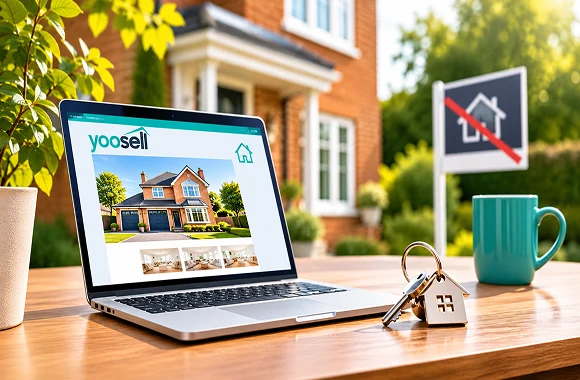
Why Choose YooSell to Sell Your Property Online Instead of a Traditional Estate Agent?
YooSell is a UK self-service platform that lets you sell your property online without paying estate agent commission. Plans start at £29 a month including VAT, with the first month free on Starter and Enhanced and £20 on Premium. Every plan includes AI listing tools, a viewings diary and direct buyer chat, while Rightmove listing comes with Enhanced and Premium or as an add-on on Starter.
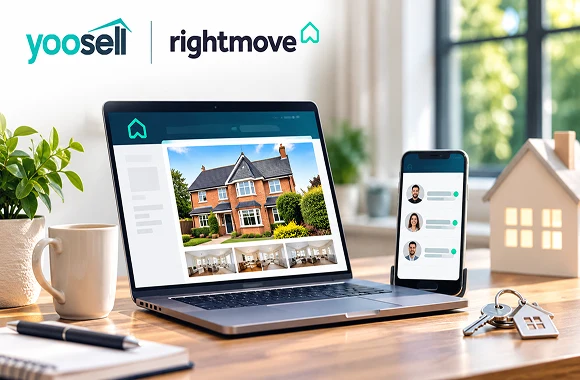
Sell Your House on Rightmove and Manage Buyers Directly: How YooSell Works
You can't list on Rightmove directly as a private seller, but you can do it without a traditional estate agent. YooSell publishes your home on Rightmove, included on the Enhanced and Premium plans and available as an add-on on Starter, from £29 a month.

Sell Your Home Without an Estate Agent in the UK with YooSell AI Tools
With YooSell, AI tools write your property description, enhance your photos and build your floor plan, and on the Premium plan an AI-assisted report helps you set your price. Plans start at £29 per month with no commission at completion.
Start Selling Your Home Today!
Take control of your sale with YooSell. Get started today and explore how we can help you sell smarter, faster, and with less hassle.